
Rilezzz Puts Creativity Before The Signup Screen
A free, browser-based studio lets visitors turn photographs into coloring pages before deciding whether to join.

A visitor arrives with a simple question: Can this turn my photo into something I want to color? Often, the next step is not an answer but a form. An email address comes first, then a password, perhaps a download. Rilezzz Paint Studio starts somewhere else. A picture is already loaded, and color is already on the canvas. The visitor can try the tools at once. That opening moment captures the platform’s central choice: let people experience the work before asking them to become members.
Rilezzz Paint Studio Opens The Door First
Rilezzz is a free creative community platform built around Paint Studio, a drawing tool that runs in a web browser. Its purpose is direct: upload a photograph, turn it into a line drawing, and color it in without leaving the page. There is no app to install, no plugin to add, and no account required to begin. For someone who simply wants to see what happens to a favorite picture, those missing steps matter. They keep a small creative impulse from becoming an administrative task.
Riley Plaetzer, founder of Rilezzz, describes that choice in plain terms: “Most creative tools make you sign up before they'll show you anything. We decided to just open the door — you land in a working studio with a picture already on the canvas.” The important point is not merely that registration can wait. Guests enter the working tool, not a preview that explains what they might receive later. They can explore the canvas and controls before sharing an email address or deciding whether the wider platform suits them.
That first canvas also removes the need to choose a photograph straight away. A visitor does not have to search through a camera roll just to understand the experience. With an image already in place, the first action can be a brushstroke or a change of color. This is a modest design decision with a clear benefit: it makes the tool easier to assess through use. Instead of asking visitors to imagine the result, Rilezzz gives them a place to begin.
Guest work is not stored or published, according to the platform’s description of the experience. That boundary is worth noting before anyone starts. The guest studio offers room to test and experiment, but it should not be mistaken for a saved portfolio. A visitor can try a color, change direction, and learn how the controls feel without publishing the result. The experience stays focused on making something in the moment, rather than setting up a public presence or managing a new account.
From Photograph To Color, In One Browser
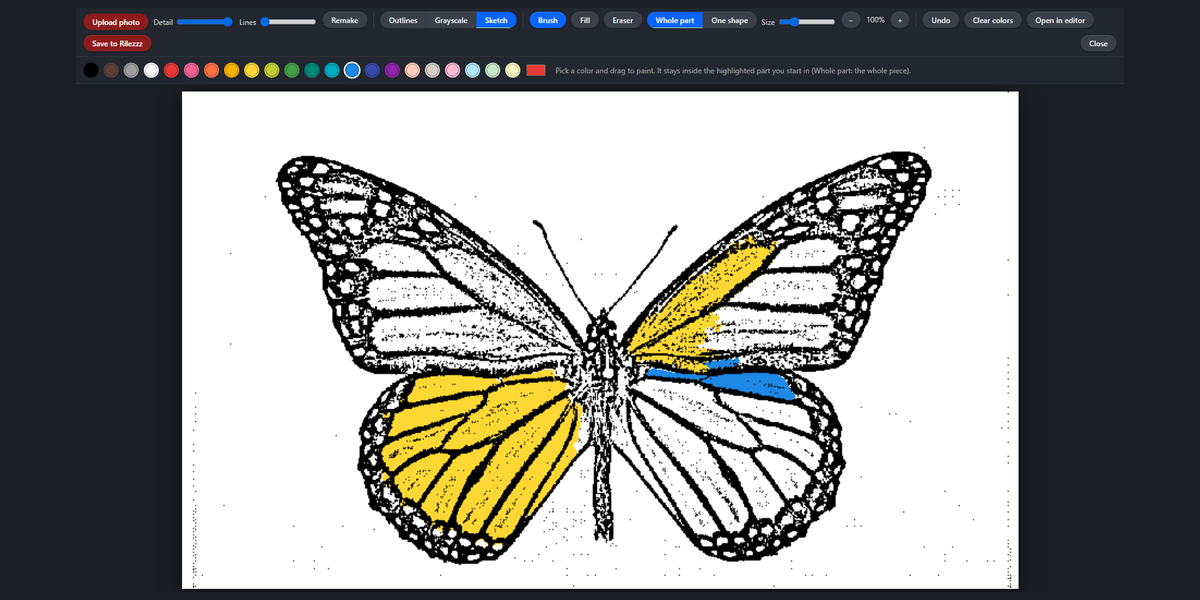
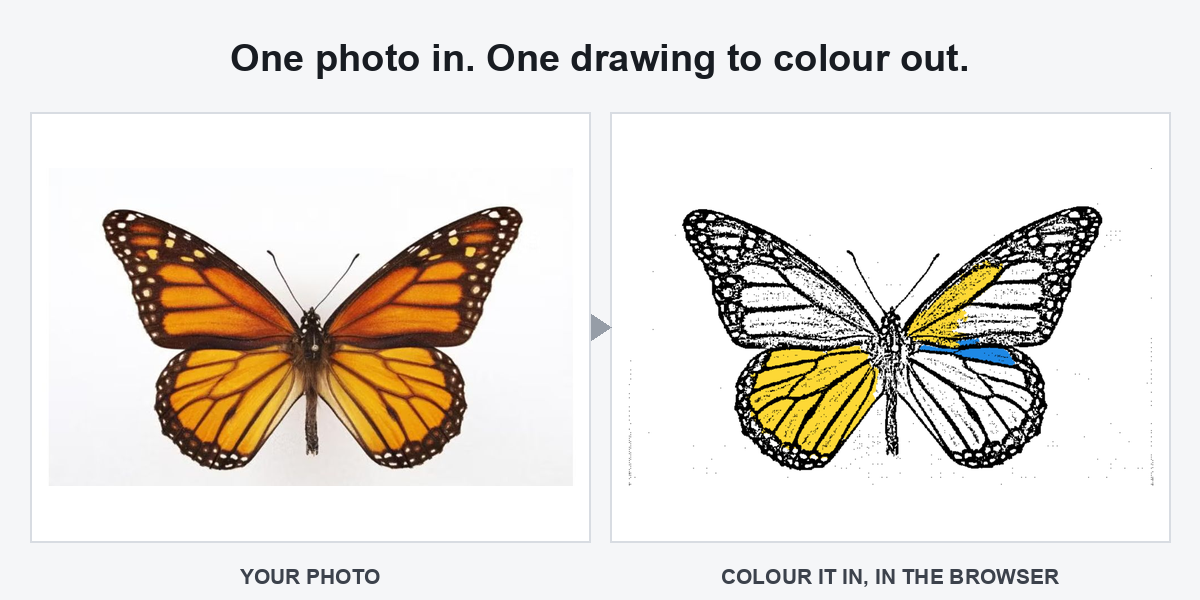
The process begins with an upload. Rilezzz Paint Studio traces the photograph into a line drawing, which takes a few seconds. That brief pause is part of the process, not a sign that the tool has stopped working. Once the outlines are ready, the visitor can add color directly in the browser. The image does not become a file that must be opened in a separate program before the creative part starts. Conversion and coloring belong to the same session.
The studio provides a 22-color palette, along with brush and shading tools. Users can fill a single shape or work across whole regions. Those choices allow different ways to approach the same picture: a broad fill can establish the main colors, while brushwork and shading offer a way to spend more time on selected areas. The appeal lies in that shift from photograph to personal interpretation. The source image supplies the outlines; the person at the canvas decides what color belongs inside them.
This is where the format differs from a download-centered coloring-page service. Rather than handing over a printable PDF, Rilezzz keeps the drawing available to color on the screen. It also works on a phone, so a desktop computer is not a requirement. The benefit is practical, not abstract. A visitor can move from a photograph to a coloring session with the device already at hand, without adding software or arranging another step before using the result.
Plaetzer sums up the intended pace: “Turning a photo into something you colored in yourself takes about a minute, and you never have to install a thing.” The exact time will depend on the picture and how much coloring someone chooses to do. Still, the point is clear. Rilezzz Paint Studio is designed to make the first attempt easy to start. A brief visit can establish how the tool works, while a more detailed picture can invite a longer session with the same controls.
A Creative Platform That Shows Its Work
Behind the studio is an independently built and operated platform. Rilezzz presents openness as a product decision, not a benefit reserved for people who have already joined. It is free to use. The guest experience makes that stated approach concrete: no account, email address, or credit card stands between the visitor and the working canvas. The tool itself becomes the starting point for judging whether the platform is useful.
The wider site provides blogs, forums, photo albums, events, and courses. These features give people who want to take part a place to share work and find other people making things. They are context for the studio, however, rather than a condition of using it. Someone can arrive for the photo-to-line-drawing tool without first committing to community membership. That separation keeps two decisions distinct: whether to try making something, and whether to participate in a broader creative space afterward.
“You can test everything we claim in ten seconds. That was the whole design goal,” says Plaetzer. The most immediate claims are indeed the ones visitors can inspect at the door: a working studio, an existing image, and no signup form blocking access. Uploading a photograph adds the few seconds needed for tracing, followed by whatever time the visitor wants to spend coloring. The strongest introduction is therefore the product experience itself, with clear expectations about what happens next.
For readers curious about turning a photograph into a coloring page, Rilezzz Paint Studio offers a direct starting point. The guest link below opens the studio, where the loaded image provides a way to explore before choosing a personal photo. Nothing needs to be installed, and no account needs to be created. From there, the choice is simple: test a few colors, upload a picture, or spend more time with the drawing tools. The wider community remains available for those who want somewhere to take the work next.
Explore More About Rilezzz
Connect with Rilezzz or explore Paint Studio as a guest. Readers can also visit the forum or browse Explore.